How to Use an Online Alarm Clock Effectively for Productivity
Do you ever feel like your day slips away even before you’ve started anything? Staying productive in today’s world of constant distractions is not easy at all—however, what it takes sometimes is a simple tool like an online alarm clock to get back on track.
Whether you’re working from home, studying for exams, or just trying to build better habits, setting specific times for focus, breaks, and tasks can make a huge difference. The best part? You don’t need to install anything. Just open your browser, and you’re good to go.
In this post, we’ll show you how to use an online alarm clock effectively to supercharge your productivity—plus, we’ll share time management tips and tools to help you get more done every day.
Table of Contents
-
Why Time-Blocking Boosts Productivity
-
How to Use an Online Alarm Clock Step-by-Step
-
Tips to Get the Most Out of Your Alarm Clock
-
Other Time Management/Productivity Tools to Try Right Now
-
Conclusion & Final Thoughts
Why Time-Blocking Boosts Productivity
Time-blocking is a productivity method that involves planning your day in chunks of time or time blocks for focused activity. You could block your time for 30 minutes, 1 hour, 2 hours or more depending on how long you want to stay focused and the complexity of the task at hand.
Time blocking reduces reduces decision fatigue, helps eliminate multitasking, and ensures you allocate time for both deep work and breaks.
Advantages of time blocking include:
1. Better Focus
By setting an alarm for each time block, you’re giving yourself a clear start and end time for every task—great for maintaining momentum.
2. Fewer Distractions
Knowing your next break is already scheduled helps you stay off social media or avoid unplanned interruptions.
How to Use an Online Alarm Clock Step-by-Step
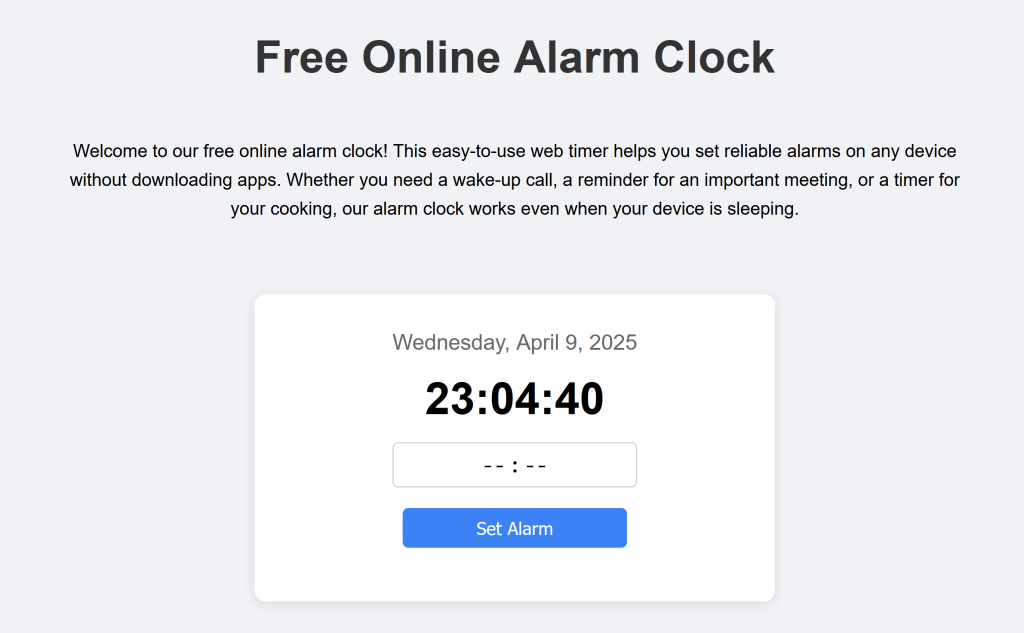
Here’s how to set up a productive workflow using our Free Alarm Clock:
-
Go to the Alarm Clock Tool
Open our online alarm app in your browser. -
Set a Specific Time
Choose when your task or break should end. Pro tip: Start with 25- or 50-minute work blocks. -
Enable Sound & Notifications
Make sure the sound is on so you don’t miss the alert—even if your tab is in the background. -
Use Full Screen Mode (Optional)
Keeps distractions out of sight while the timer runs.
Tips to Get the Most Out of Your Alarm Clock
-
Use it with the Pomodoro Technique: Work for 25 minutes, then take a 5-minute break.
-
Pair it with a countdown timer to track longer sessions like 90-minute deep work blocks.
-
Use multiple alarms throughout the day for routine tasks like meetings, meals, or workouts.
Other Time Management/Productivity Tools to Try Right Now
Boost your daily productivity using our free browser-based tools:
-
Online Alarm Clock – Simple, customizable, and mobile-friendly
-
Countdown Timer – Great for study sessions or deep work
-
Stopwatch – Track task durations to improve time estimates
-
Sleep Calculator – Plan your ideal bedtime to wake up refreshed
Upgrade your workspace with this ergonomic chair and desktop setup for better focus and comfort.
Conclusion & Final Thoughts
Productivity doesn’t always require fancy apps or complicated systems. Sometimes, all it takes is a simple online alarm clock and a few good habits.
Try blocking your time, using alarms for accountability, and sticking to a schedule that works for you. Before long, you’ll notice more structure, focus, and wins in your day. You can even use it to wake you up when you snooze.
Ready to take control of your time?
Start with our free online alarm clock — no download required.
Leave a Reply